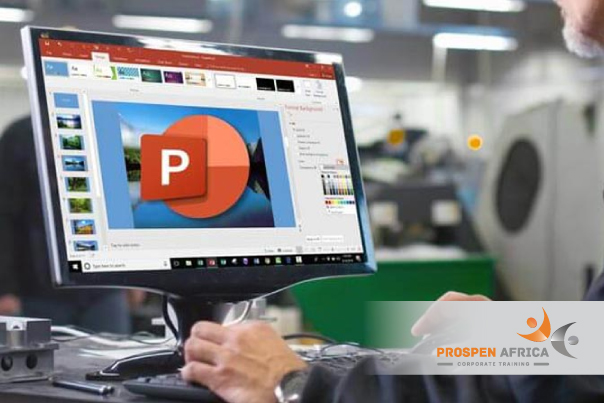
This Intermediate Microsoft PowerPoint course builds on basic presentation skills, equipping participants to design, refine, and deliver polished, professional presentations. Through hands-on exercises, participants learn to work efficiently with slide masters and themes, enrich slides with tables, charts, SmartArt, and media, add transitions and animation, and prepare a presentation for confident, well-organised delivery.
Course Objectives
Upon completion of this Intermediate Microsoft PowerPoint course, participants will be able to:
Apply and customise Slide Masters, themes, and templates for a consistent, professional look
Insert and format tables, charts, and SmartArt to present information clearly
Insert, edit, and manage images, audio, and video within a presentation
Apply slide transitions and animations purposefully, without distracting from the message
Add hyperlinks and action buttons to build interactive or non-linear presentations
Review and collaborate on presentations using comments and the comparison tools
Prepare and rehearse a presentation using Presenter View, slide timings, and presenter notes
Export, print, and share presentations in the format best suited to the audience
Who should attend?
Business Professionals
Educators and Facilitators
Students
Marketing Professionals
Consultants
Anyone who has completed a Basic PowerPoint course, or who regularly builds presentations and wants to work more efficiently and professionally
Training Methodology
Our diverse instructional approaches ensure effective learning:
– Lectures & Presentations: Engage with expert-driven, stimulating content. – Course Material: Access well-crafted supporting resources. – Group Work: Collaborate on discussions and case studies for practical insights. – Workshops & Role-Play: Participate in immersive, scenario-based activities. – Practical Application: Focus on applying theoretical knowledge in real situations. – Post-Training Support: Receive extensive support after training for skill implementation.
Training Outline
Day 1 — Design Consistency and Enriching Content
Module 1: Slide Masters, Themes, and Templates
Working with the Slide Master to apply consistent formatting across a presentation
Customising themes, colours, and fonts
Creating and reusing a custom presentation template
Practical Exercise
Build a branded slide master and template for a sample presentation
Module 2: Tables, Charts, and SmartArt
Inserting and formatting tables for clear data presentation
Creating and customising charts, including linking to Excel data
Using SmartArt to visualise processes, hierarchies, and relationships
Module 3: Working with Images, Audio, and Video
Inserting, formatting, and compressing images
Adding and trimming audio and video clips
Setting playback options for media
Practical Exercise
Enhance a sample presentation using images, SmartArt, and embedded media
Day 2 — Motion, Interactivity, Collaboration, and Delivery
Module 4: Transitions and Animations
Applying and customising slide transitions
Animating text and objects using entrance, emphasis, and exit effects
Using the Animation Pane to sequence and time multiple effects
Module 5: Hyperlinks and Action Buttons
Adding hyperlinks to other slides, files, and web addresses
Using action buttons to build a non-linear or interactive presentation
Module 6: Reviewing and Collaborating on Presentations
Adding and managing comments
Comparing and merging different versions of a presentation
Module 7: Preparing, Delivering, and Sharing Presentations
Using Presenter View and presenter notes
Rehearsing and recording slide timings
Exporting a presentation to PDF or video
Printing slides and handouts in the appropriate layout
Practical Exercise
Rehearse and deliver a short section of a sample presentation using Presenter View
Discover how our courses enhance professionals’ effectiveness in their workplaces.
No reviews found. Add reviews from the dashboard or switch source to Manual.
FAQs – Intermediate Microsoft PowerPoint
Master intermediate Microsoft PowerPoint skills, learning effective slide design, formatting techniques, visual elements, charts and tables, animations, transitions, presentation organisation, and techniques for creating professional and engaging presentations.
What topics are covered in the Intermediate Microsoft PowerPoint course?
The course covers slide layout customization, working with SmartArt and diagrams, formatting visual elements, inserting and editing audio and video, using animations and slide transitions, working with tables and charts, and delivering polished slide shows.
Who should attend the Intermediate Microsoft PowerPoint course?
This course is designed for administrative staff, team leaders, project coordinators, sales representatives, and professionals who have basic PowerPoint knowledge and want to create visually engaging and professional presentations.
What skills will delegates develop through the Intermediate Microsoft PowerPoint course?
Delegates develop practical skills in converting text into dynamic visual graphics, structuring slide layouts effectively, embedding media seamlessly, applying subtle animations for emphasis, and presenting data clearly using charts and tables.
How long does the Intermediate Microsoft PowerPoint course take to complete?
The course is delivered as a focused short-course programme, with the duration determined by the scheduled programme and the specific training requirements of the organisation.
Is the Intermediate Microsoft PowerPoint course suitable for users transition from basic slide creation?
Yes. The course builds directly on basic PowerPoint knowledge, moving beyond simple text slides to help delegates design visually compelling, structured, and interactive presentation content.
Can Prospen Africa deliver the Intermediate Microsoft PowerPoint course in-house?
Yes. Prospen Africa can customise the course around your organisation's brand guidelines, corporate slide templates, and specific presentation requirements.